Open a working copy in Preview and choose Tools → Remove Background. If prompted, convert the copy to PNG to retain transparency.
1. Open a separate image copy in Preview
Keep your original and open a separate copy in Preview. This English walkthrough uses the same fictional cup illustration as the Korean guide, with no personal information. The native Preview route avoids uploading the picture to an online editor. Finder’s Quick Actions is another native route described in the Korean version.
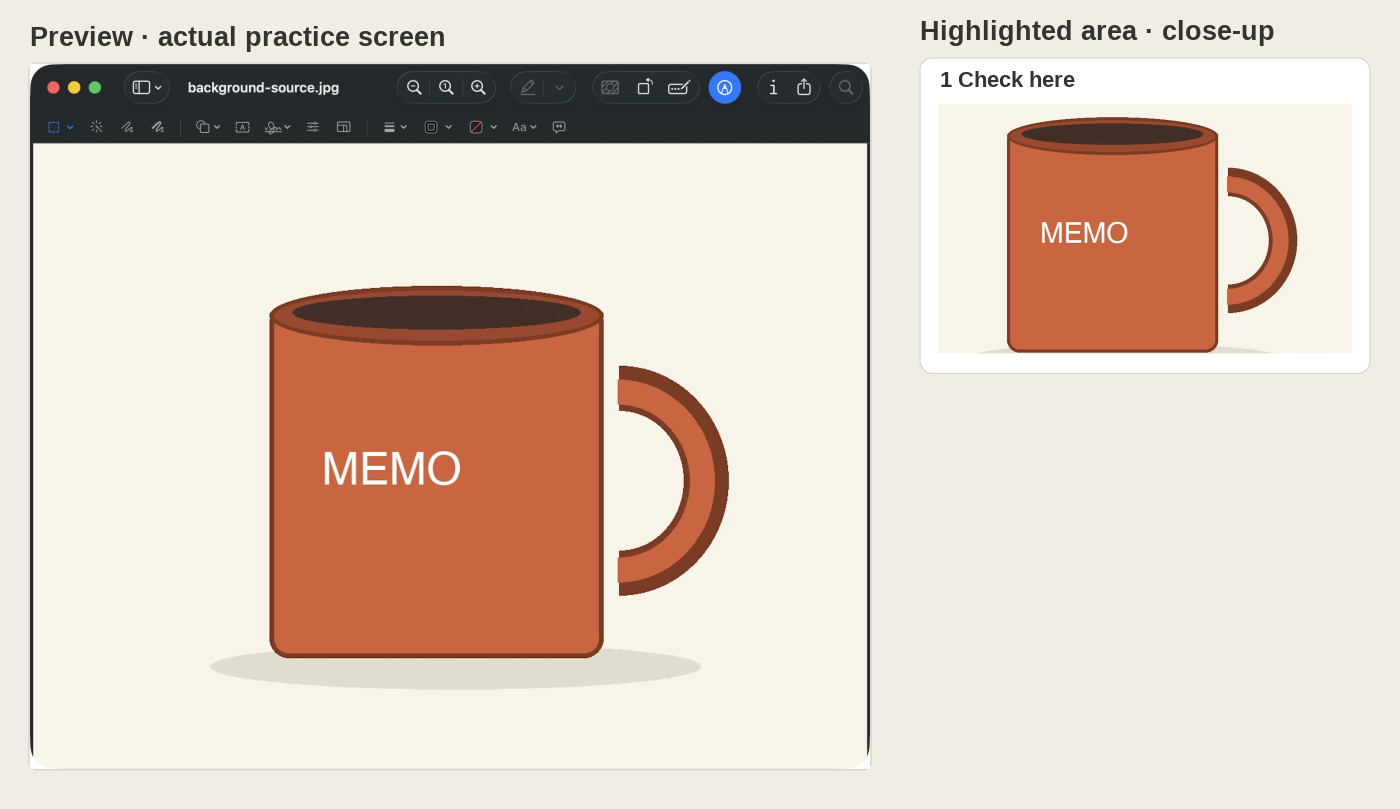
The original fictional cup image is open in English Preview. Work on a separate copy before removing its background.
- 1Check Compare the cup and its handle before editing.
2. Choose Remove Background and keep PNG transparency
In Preview, choose Tools → Remove Background. The actual JPEG example triggers Convert this document to PNG? because JPEG cannot store the newly added transparency. Convert replaces the working copy, so preserve the original first. After Convert, save and reopen the PNG.
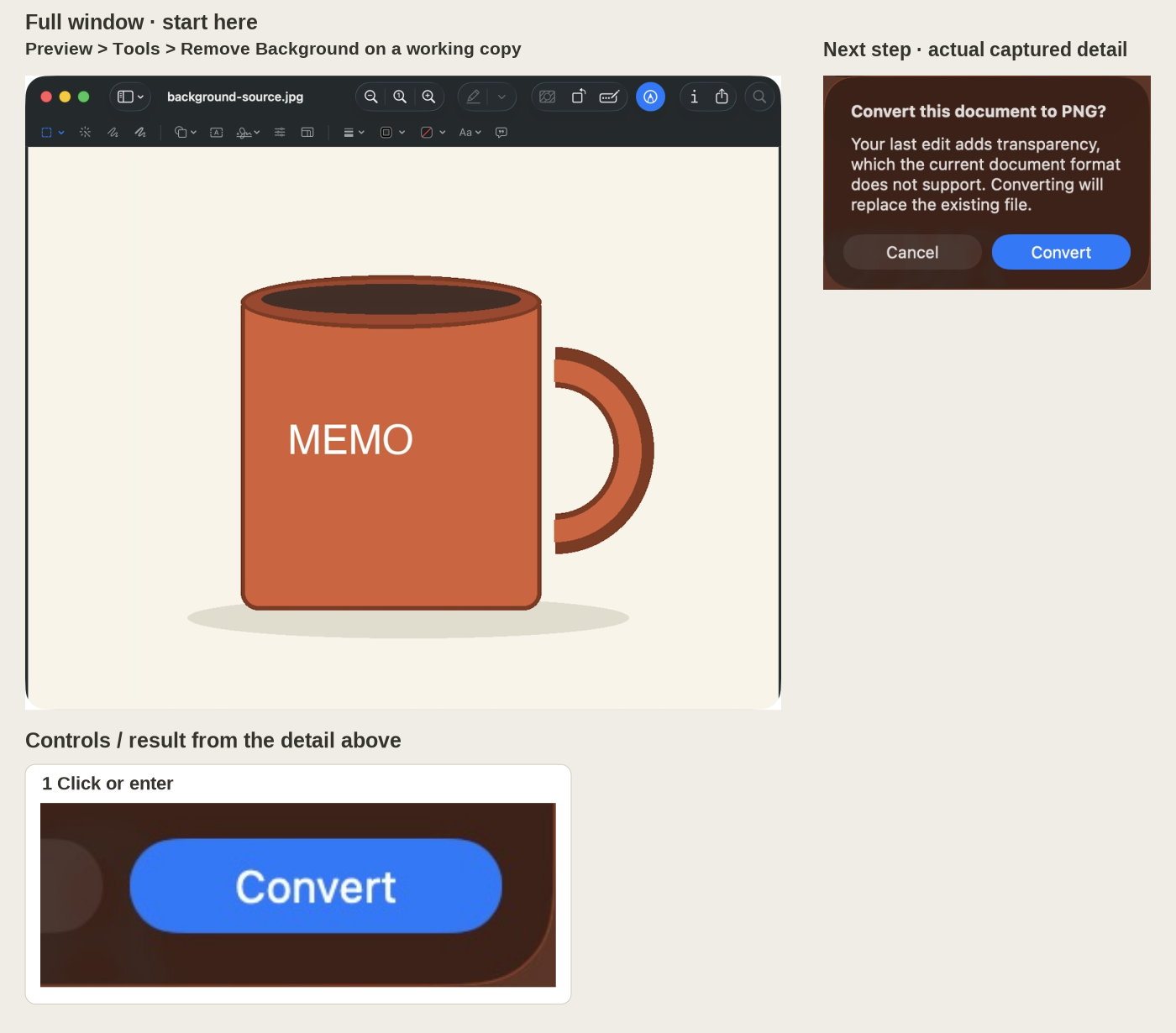
Actual English conversion prompt after Tools → Remove Background. PNG is needed to retain the new transparency. This replaces the working copy, so preserve the source first. The large view locates the app and workflow. The separate image is a real cropped view from the specified step; it is not pasted into the app window.
- 1Action Convert the working copy to PNG.
3. Inspect the new PNG and its missing details
The English result is a 1200 × 900 RGBA PNG, 100,113 bytes, with alpha values ranging from fully transparent to opaque. The background disappears, but the cup handle disappears too. Compare the result with the source and undo or use another method when important details are lost. This is a limitation of the actual result, not a perfect cutout.
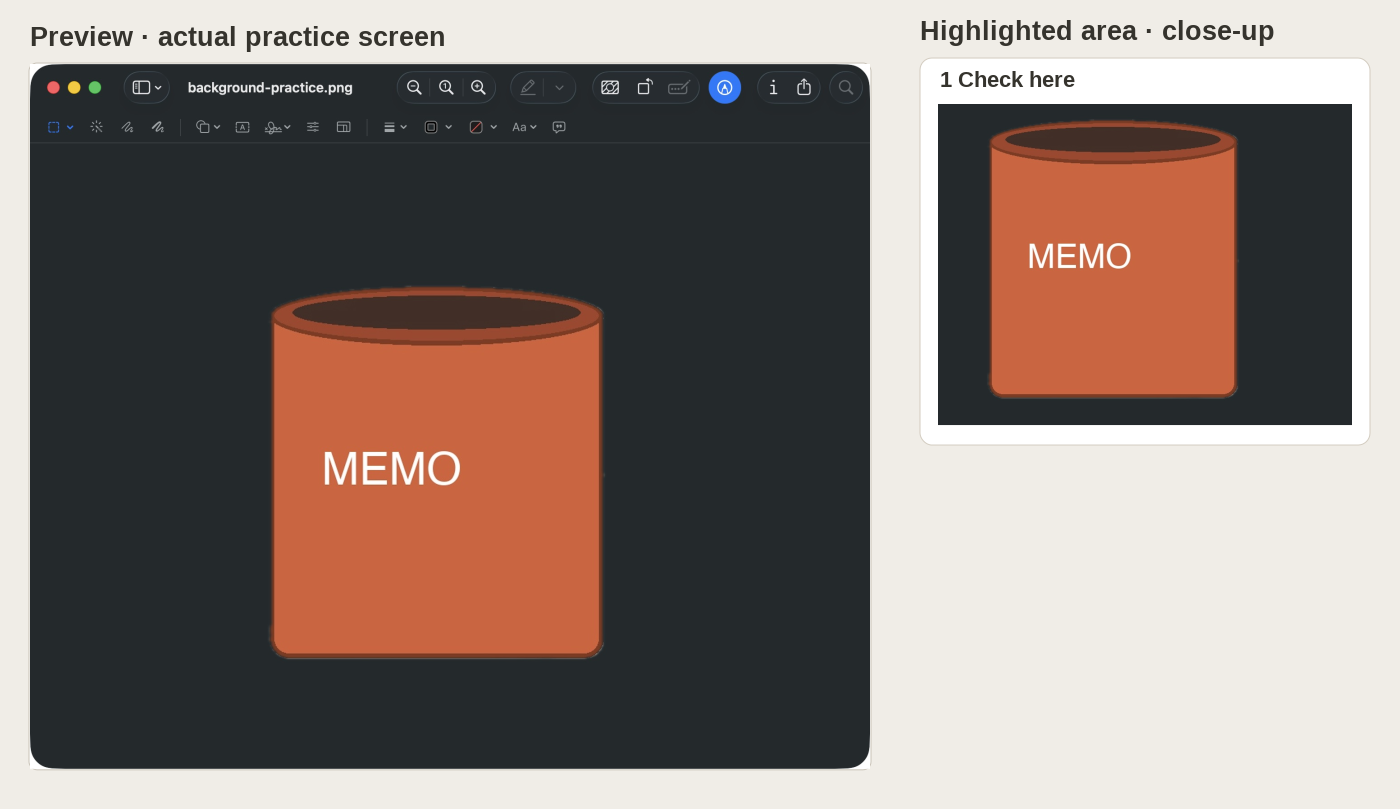
The saved 1200 × 900 RGBA PNG has transparent pixels, but the handle is missing too. This is the real limitation of the example.
- 1Check Inspect the cutout and the missing handle.
Before you share the result
- Fine hair, transparent objects and thin outlines can lose details or retain background fragments. Do not use a result that removed part of the subject you need.
- Keep the output as PNG when transparency matters. Saving it as JPG does not preserve an alpha channel.
English practice screens were captured on macOS 26.5.2 on 18 October 2026. All documents and images shown are tutorial samples. Results apply to these examples; interface labels can differ by version.