A 16GB M1 MacBook can be a candidate for cloud AI and small local-model experiments. That is a narrower claim than saying it can run any AI workload. Value depends on the price, condition and work you need it to do.
An M1 MacBook Pro is not an M1 Pro MacBook
This guide covers the 2020 M1 MacBook Air and the 13-inch MacBook Pro with the M1 chip. It does not treat the later M1 Pro or M1 Max laptops as the same hardware. The word Pro in a laptop name does not establish the chip inside.
Check the model, chip and installed memory on the actual machine. Air and 13-inch Pro are separate products; matching M1 and 16GB labels does not make their screens, ports or condition identical.
Verify the installed memory, not just the available option
A specification page showing a 16GB option does not establish that a seller’s unit has it. Ask for the relevant device information and check it at handover. There is no need to publish the seller’s account or serial number.
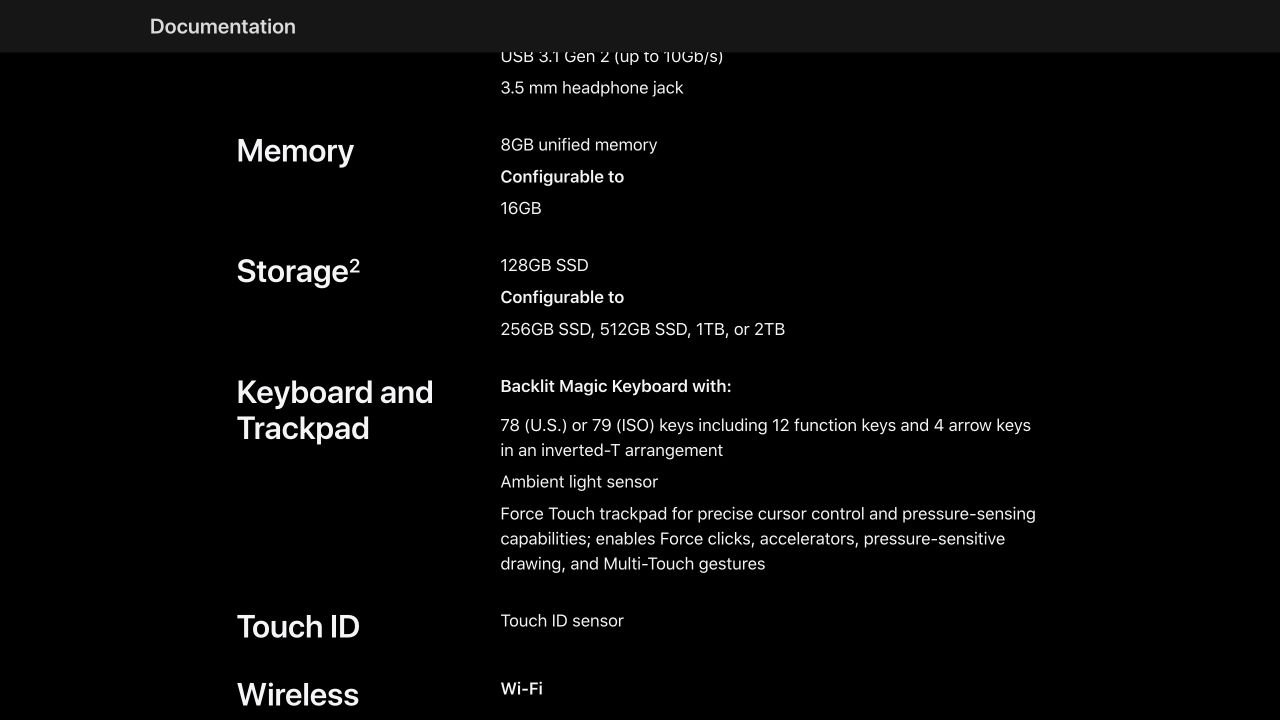
Click the capture to enlarge it or hide the blue highlights.
Set different expectations for cloud and local work
| Task | Potential role | Check before buying |
|---|---|---|
| Hosted AI chat and drafting | A browser-based assistant workspace | Browser and service OS requirements |
| Downloaded language models | Experiments starting with small models | Model, quantization and context |
| AI-assisted coding | Editing and smaller projects | Build tools, emulators and other apps |
Swipe the table sideways on a narrow screen.
Meeting an app’s system requirements is different from running your preferred model comfortably. LM Studio requires macOS 14 or newer and recommends at least 16GB of memory. That is not a guarantee for every model.
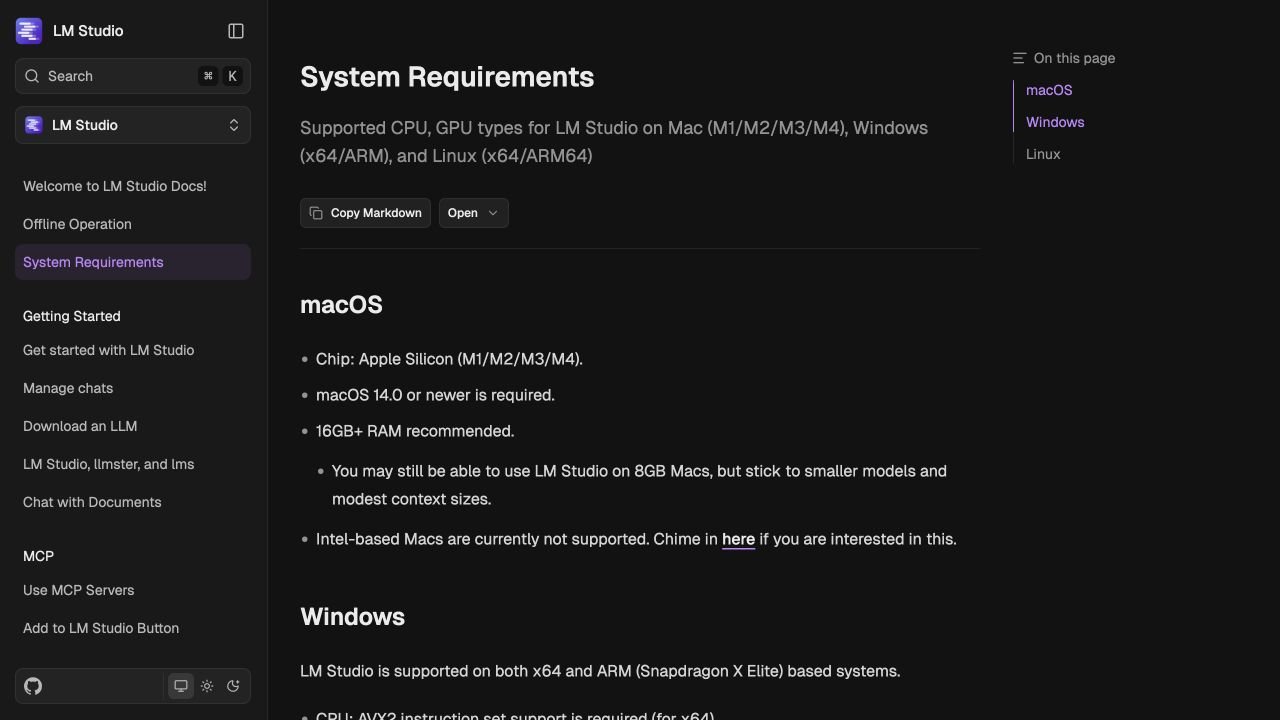
Click the capture to enlarge it or hide the blue highlights.
Long documents and development tools change the workload. We have not measured M1 token rates, document-processing times or AI battery endurance here, and do not present a model run we did not perform.
Allow roughly $700–$800 for a refurbished 16GB/512GB Air
For an M1 MacBook Air with 16GB memory and a 512GB SSD, the U.S. refurbished offers checked in October 2026 suggest a rough $700–$800 reference range for Fair-to-Good condition grades, before sales tax. This covers that configuration and those grades, rather than every used M1 laptop.
Higher condition grades can cost considerably more. Private-sale prices, other SSD capacities and the 13-inch MacBook Pro should be compared separately. This is a rounded guide to a limited set of advertised offers, not a completed-sale range, market average or converted Korean price.
Compare battery condition, repair history, returns and warranty, then add any delivery, charger or battery-service costs. Price check: Back Market, October 2026.
If you already own an M1, the decision is different: try the workload before paying to replace it. This guide does not predict a guaranteed future OS-support end date.
Check these before handing over money
- Verify the actual model, M1 chip, 16GB memory and SSD capacity.
- Check battery condition, capacity and cycle count, repair history, and the included charger. Cycle count alone is not a lifespan prediction.
- Test the display, keyboard, trackpad, ports and charging. An exterior grade does not certify every component.
- Ensure the seller has removed their account connection and Activation Lock. Resolve any previous-owner account or organization Remote Management requirement before accepting the machine.
- Keep the return and warranty terms, then compare total cost after allowing for any needed service.
When should you look beyond the M1?
If you already need a large local model, long contexts or several development environments at once, establish the memory and software requirements before looking for the cheapest M1. Repeatedly cutting the work down to fit 16GB can defeat the purpose of the purchase.
For cloud AI and documents, a sound unit at a sufficiently low total cost can remain a candidate. That is a conditional buying judgment, not a hands-on performance review or a recommendation of a particular seller.
Sources and verification scope
This comparison checks manufacturer specifications and developer documentation. Conditional recommendations are editorial judgments; no hardware speed, heat or battery tests or future-support guarantees are claimed. Recheck configurations and prices before buying.