GEMINI EVERYDAY · 2026.10.27
How to use Gemini: upload a file, ask a question and refine the answer
Start with a small source and an output you can check.
Orange solid: input or action. Blue dashed: result to check. Open a capture to hide its highlights or view it at original size.
1. Choose a small, checkable task
For this test, we wrote five file-safety notes about preserving originals, backup locations, file extensions, ZIP archives and sharing. A short source makes it possible to tell whether a response preserved the facts.
Download the same practice TXT. It contains no personal data. You can also paste the text instead of attaching it.
2. Attach the source
Sign in to Gemini and open Temporary chat. Choose Upload & tools → Upload files, select the practice TXT, and wait until its attachment is ready.
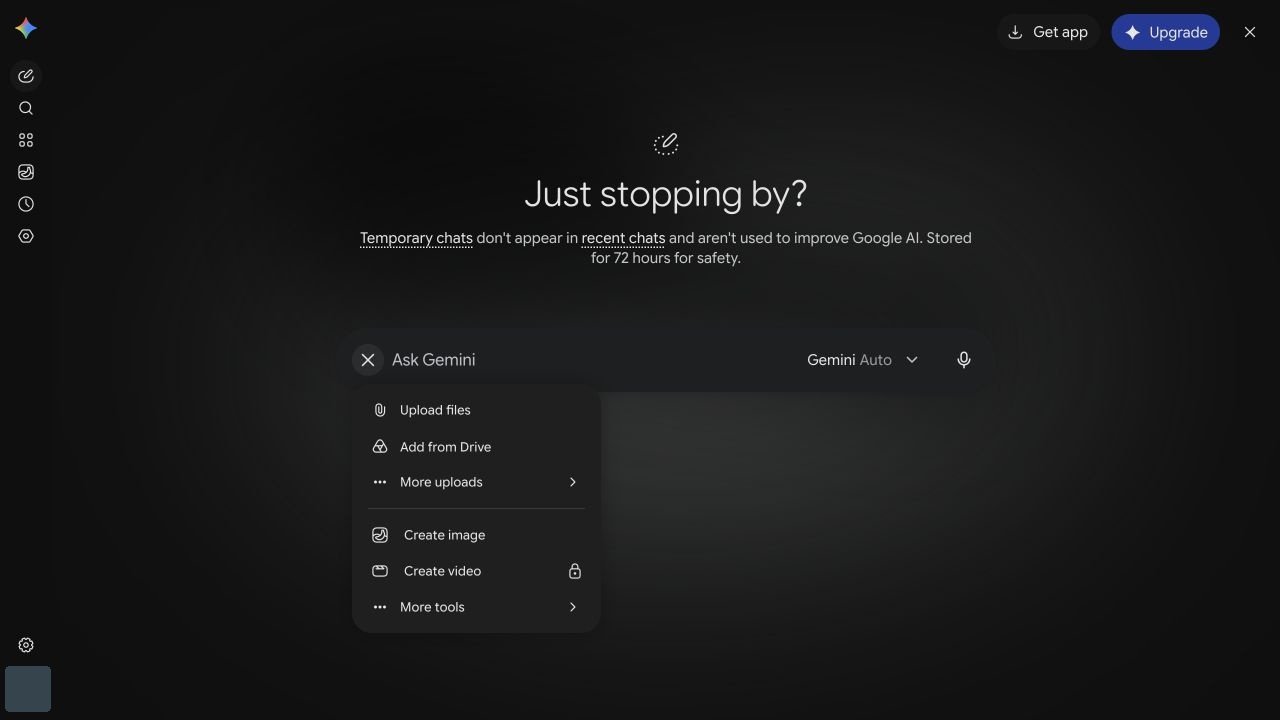
- Select Upload files for a local practice document.
A temporary conversation is not a reason to upload sensitive documents. Work with a safe copy and follow any file or usage limit shown by your account. We did not connect Drive or change privacy settings.
3. Specify the source and shape of the answer
Prompt actually used
Using only the attached file safety practice notes, list three key checks for a beginner. Use a numbered list with no more than two sentences per item. Do not add facts that are absent from the notes.

- The request specifies the source, three items and a sentence limit.
- Check the attachment and prompt before sending.
Useful constraints are concrete: who the answer is for, how long it should be and which source it may use. You can check “three numbered items” more easily than “a good summary”.
4. Compare the answer with the notes
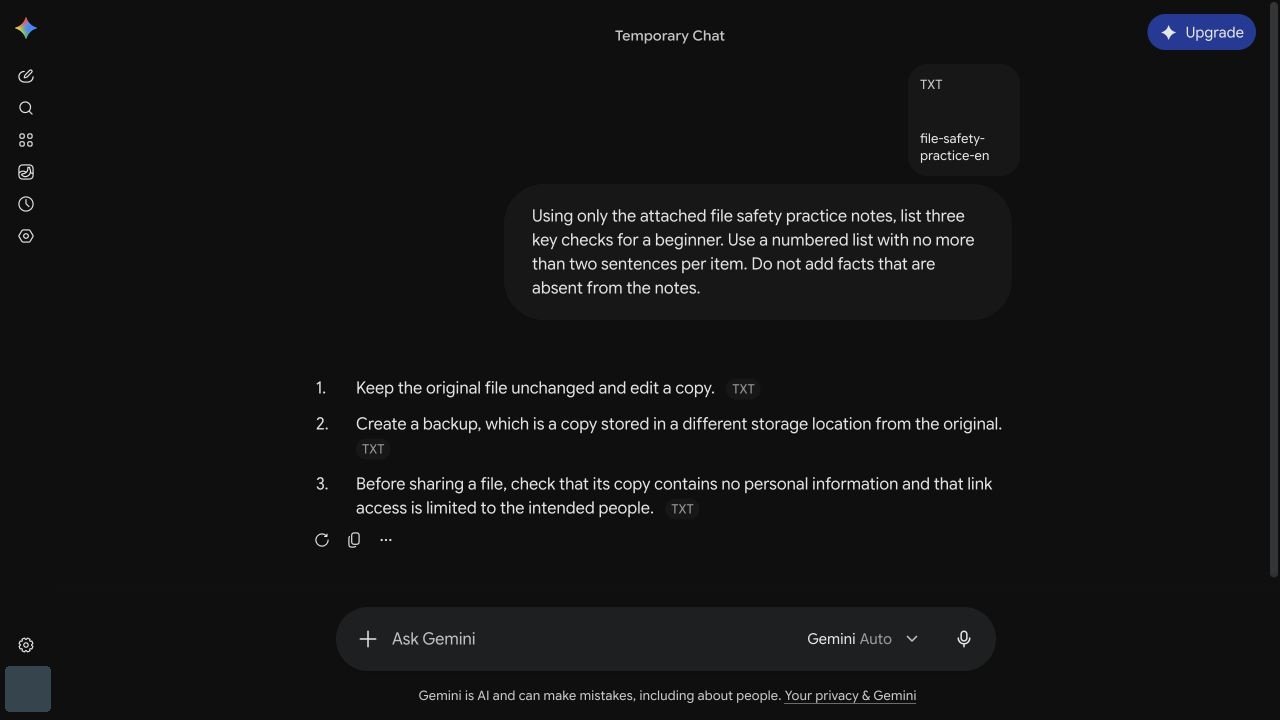
- Each selected point is supported by the uploaded notes.
- Copy is available under the response.
The three points matched the source. The extension and ZIP notes were omitted as part of reducing five notes to three. If those facts must remain, name them in the request. A concise answer is not automatically a complete one.
5. Refine it without starting again
Follow-up prompt actually used
Turn your previous answer into a two-column table headed “What to check” and “Action”. Use exactly three rows and do not add new facts.

- Check the two headings, three rows and source consistency.
The table kept the same three checks. After copying any result into a document, inspect its layout and wording there. This test verified the generated table; it did not export a document or download a report.
When the result needs work
- Too long: specify a shorter limit and what to remove.
- Unsupported detail: quote the sentence and ask for source support or removal.
- Attachment problems: check readiness and split a large source into relevant sections.
Use a reusable skill for recurring instructions, a quiz for self-testing or Deep Research for a source-based comparison.