Open the image in Preview, select the actual words, press Command–C and paste into an editable document with Command–V.
1. Open a clear image in Preview
Control-click an image in Finder and choose Open With → Preview if needed. Check the file name so you know which app and image you are using. The original practice JPG contains the English heading WEEKEND CHECKLIST. This workflow reads text; it does not remove letters from or edit the source picture.
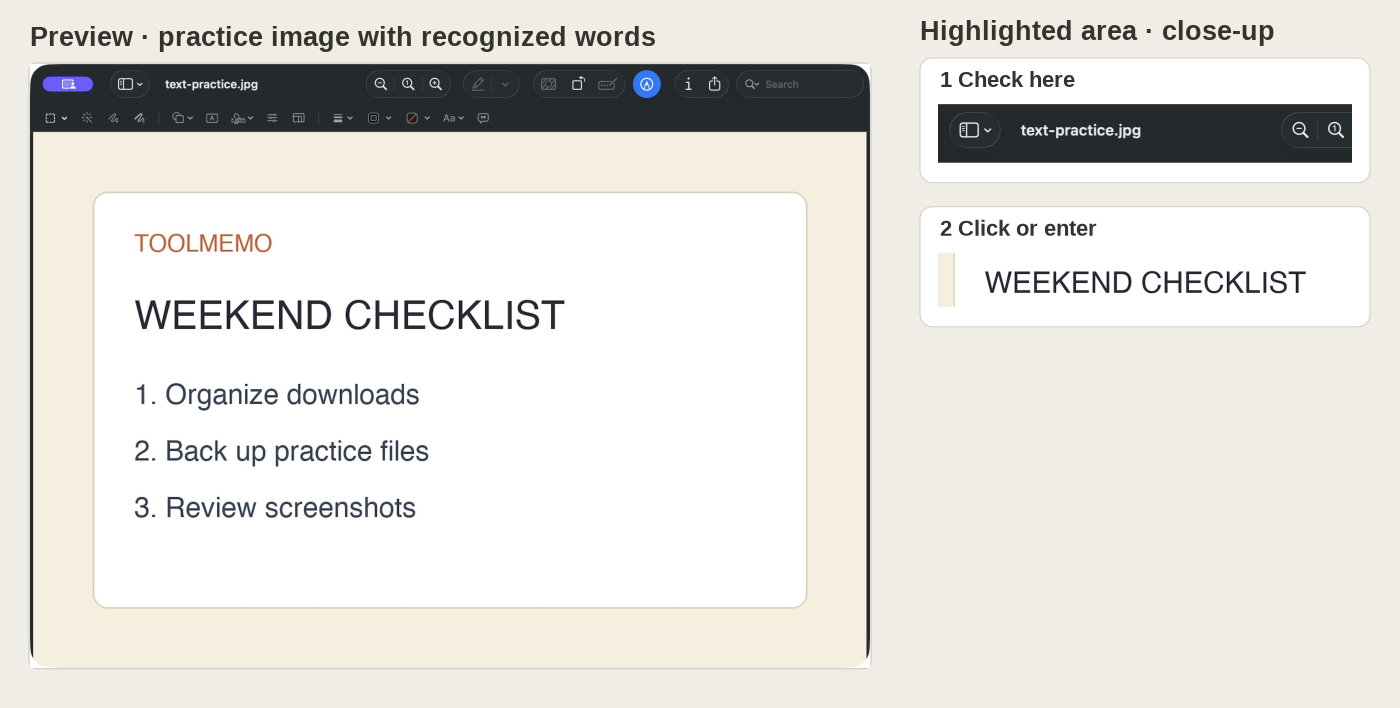
Open the practice JPG in Preview. The app and English heading are visible together; no outside website is involved.
- 1Check Confirm text-practice.jpg in Preview.
- 2Action Select the actual words in this heading.
2. Select the words rather than the whole image
Drag across the words you want. Look for a text-selection highlight on the letters. If Preview instead selects a rectangular piece of the image, check Tools → Text Selection. Recognition depends on the Mac, language, type of text and picture quality; one clear English heading is not proof of equal accuracy for every photo or handwriting style.

The purple native text selection covers WEEKEND CHECKLIST. This is an actual crop of the selected words; the large app window locates the heading. The large view locates the app and workflow. The separate image is a real cropped view from the specified step; it is not pasted into the app window.
- 1Check Check that the letters are highlighted as text.
3. Paste into a document and compare the result
Press Command–C with the words selected, open a plain-text document and press Command–V. In the English practice run, the heading copied from the JPG became WEEKEND CHECKLIST in TextEdit. The saved text-result.txt contains exactly those 17 bytes. This is editable text, not a pasted picture. Compare names, numbers, punctuation and line breaks with the source before using the result.
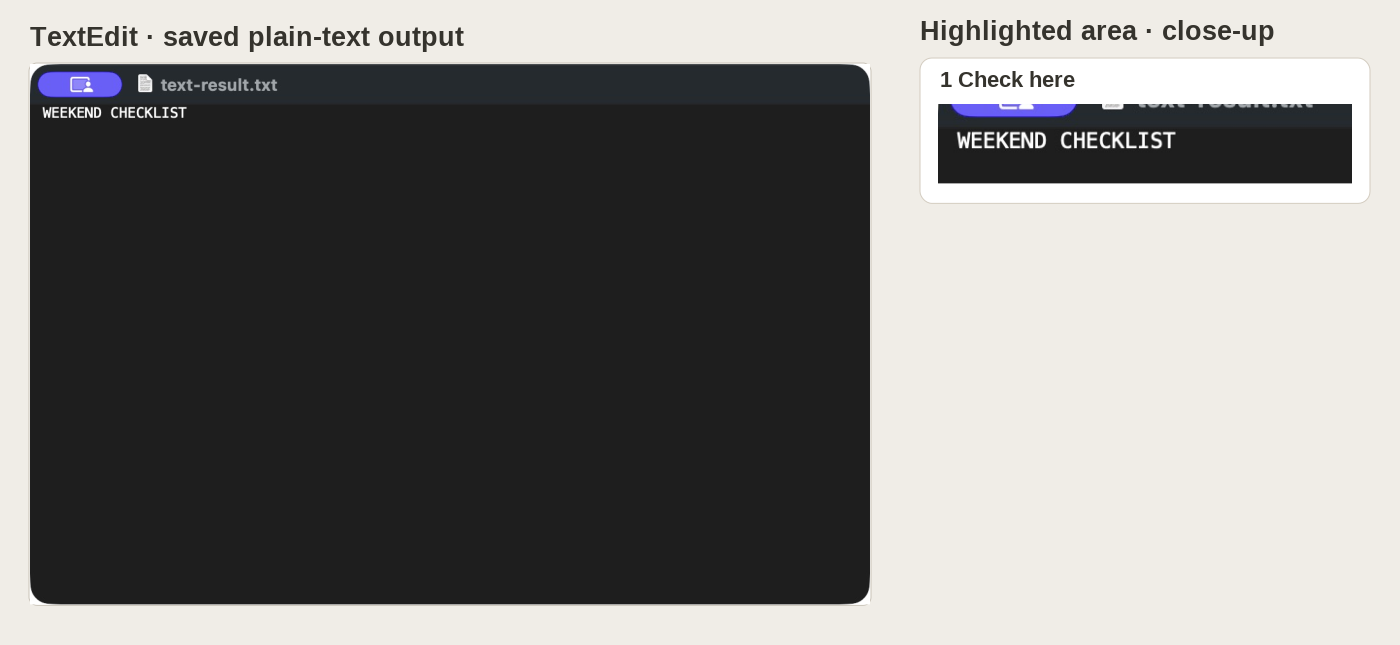
Command-V pasted editable text into TextEdit. The saved text-result.txt is exactly WEEKEND CHECKLIST, 17 bytes. The insertion caret appears after the pasted words, which are now editable text.
- 1Check Compare the pasted heading with the source image.
Before you share the result
- If words are blurry or very small, open a clearer source and enlarge the relevant area. Check Live Text support for your device and language.
- Do not upload a private document to an unfamiliar conversion service merely because local text selection fails.
English practice screens were captured on macOS 26.5.2 on 18 October 2026. All documents and images shown are tutorial samples. Results apply to these examples; interface labels can differ by version.