A small local AI model ran successfully on our M1 MacBook with 16GB RAM. We downloaded qwen3:1.7b in Ollama and turned short English and Korean notes into checklists. That result does not establish that large models or long documents will run comfortably. This guide covers setup, a first response, memory checks and stopping the model.
Our M1 16GB buying guide covers the hardware decision. Here, we actually run a downloaded model. No account or API key was used for this local test.
01. Check the Mac and its free storage
Open the Apple menu → About This Mac and check the chip and memory. This test used a 13-inch M1 MacBook Pro with 16GB RAM, running macOS 26.5.2. Ollama’s current macOS documentation requires Sonoma 14 or later.
The model download was about 1.4GB, but the app, temporary files and your other work also need space. Do not start with only 1.4GB free. Save large projects and close apps you are not using before testing.
Tested here: short note cleanup, English and Korean responses, and model status.
Not tested here: training large models, bulk PDF analysis, image generation, battery life or sustained performance.
02. Install Ollama from the official download page
Open the official macOS download page and choose Download manually. Open the DMG, move Ollama to Applications, then launch it.
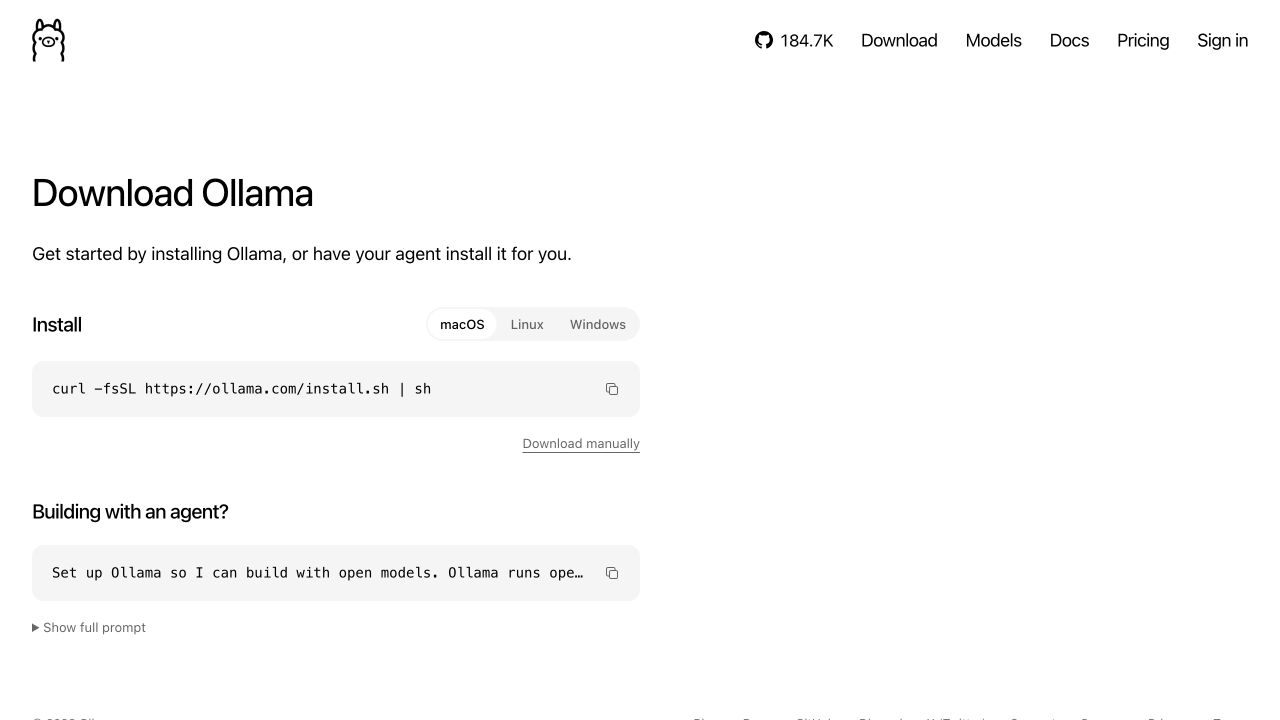
- ① Check the macOS tab.
- ② Choose Download manually for the DMG.
03. Choose local use without creating an account
In the tested release, Continue led to this account screen. We selected No thanks, I’ll use Ollama locally. We did not configure cloud models or connect any coding applications.
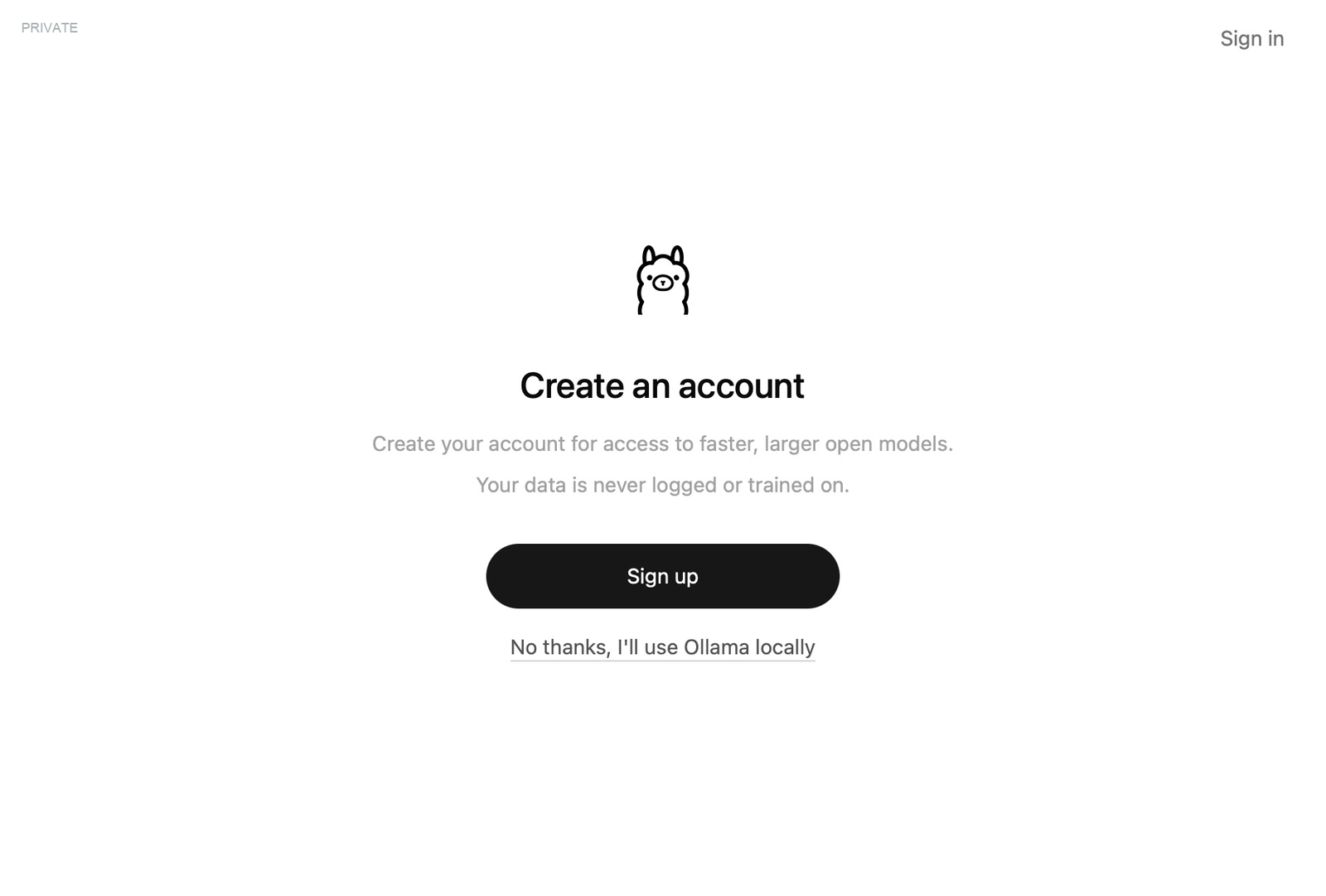
- ① Select No thanks, I’ll use Ollama locally.
04. Download a small model using its exact tag
Press ⌘-Space, search for Terminal and open it. Run these commands one at a time. Our version check returned 0.40.11. If first launch offers to install the command-line tool, review that prompt before proceeding.
ollama --version
ollama pull qwen3:1.7b
ollama list
The first download requires an internet connection. When it finishes, check that qwen3:1.7b appears in the model list. Keep the :1.7b suffix: entering only qwen3 can select a different default size. We chose this model because it is small enough for an introductory test, not because it is the newest or best at every task.
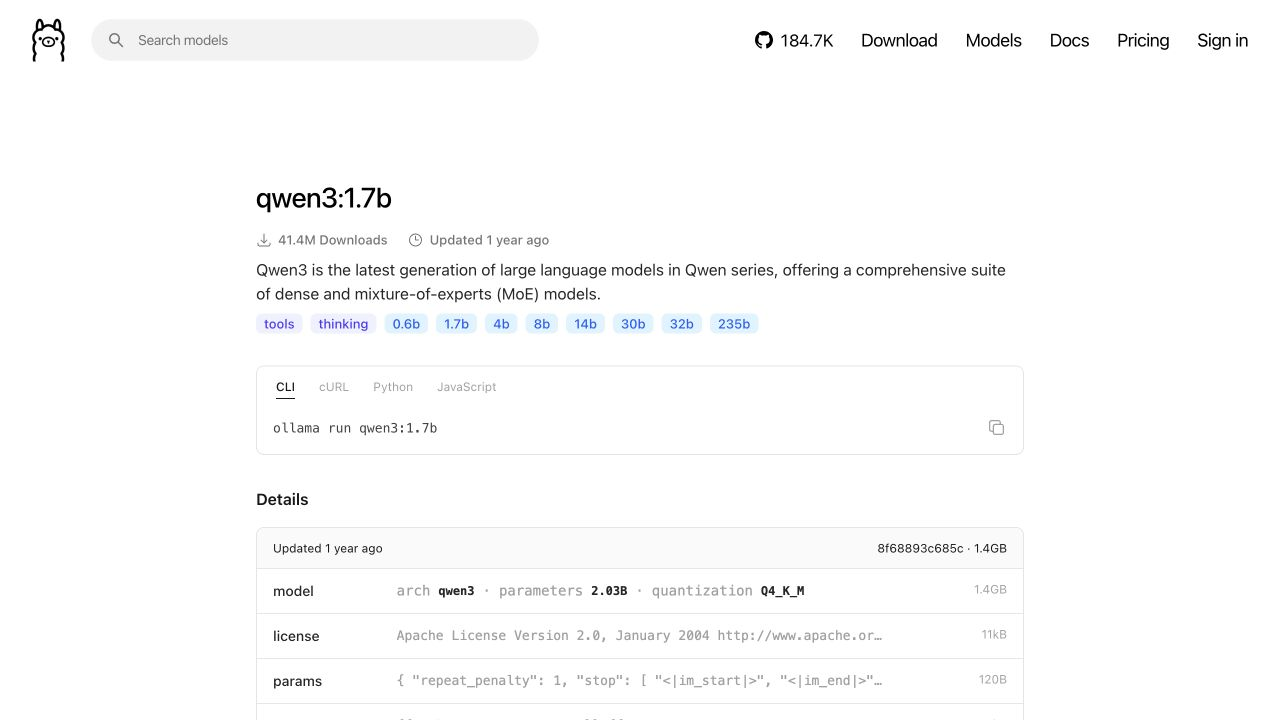
- ① Keep the exact :1.7b tag.
- ② This is the command for this model.
- ③ The listed download size was 1.4GB.
05. Start with one short note
This command asks one question and returns an answer. We used --think=false to disable thinking for this test, and --verbose to inspect the reported timings. Copy the whole command into Terminal.
ollama run qwen3:1.7b "Turn this note into a three-line checklist. Do not add information. Note: The meeting is at 10 a.m. on Thursday. Save the material as a PDF before the meeting. Keep the original file separately." --think=false --verboseCompare the answer with the source note. This response kept the Thursday 10 a.m. meeting, PDF preparation and separate original file. A small model can still omit or invent details, so review its output before using it in a real document.

- ① Check that all three source instructions were retained.
06. Check model placement and system memory
Open another Terminal window and run:
ollama psThe model row from the actual output
qwen3:1.7b 8f68893c685c 1.5 GB 100% GPU 4096 llamacppThe 1.4GB download and 1.5GB loaded-model figure measure different things. 100% GPU means the model was loaded entirely onto the GPU. It is not a claim that GPU utilization stayed at 100%.
| Short test | Ollama total duration | Condition |
|---|---|---|
| Korean note | About 2.97 seconds | Includes about 1.29 seconds loading |
| English note, run next | About 1.15 seconds | Model already loaded |
Each was a single short run. The prompts and loading states differed, so this is not a language-speed comparison or a forecast for long PDFs and complex coding tasks.
Also open Activity Monitor with ⌘-Space and select Memory. Searching for llama included the model’s llama-server process and related Ollama processes on this Mac.

- ① Select Memory.
- ② Search for llama.
- ③ Read Memory Pressure and Swap Used as system-wide values.
07. Exit the conversation, then unload the model
For an interactive conversation, start:
ollama run qwen3:1.7b --think=falseType a question after >>> and press Return. Enter /bye inside that conversation to leave it. Then run these two commands at the normal shell prompt:
ollama stop qwen3:1.7b
ollama ps
We verified that /bye ended the conversation and that no model row remained after stopping the model. Leaving a chat and unloading its model are separate actions. Downloaded files remain on disk, so the next run does not require downloading them again. Quit the Ollama app too when you no longer need its background service.
It ran on 16GB, but available headroom still matters
The bottom panel in Activity Monitor describes the whole Mac. With other apps open during this test, memory pressure was yellow and swap was in use. Those figures cannot all be attributed to Ollama.
If the Mac becomes sluggish under high memory pressure, save your work, close unused apps and try a smaller model or shorter input. This is a useful starting point for local AI. It is not a reason to entrust long-document review, exact calculations or current factual research to this small model without checking.
If a command does not work
- command not found: check installation and first launch, then try a new Terminal window. For the default Applications location, the full-path version check below is another option.
- Server connection error: check that the Ollama app is running.
- Wrong model: check
ollama listfor the exactqwen3:1.7btag. - Unsupported thinking option: compare your version and inspect
ollama run --help.
"/Applications/Ollama.app/Contents/Resources/ollama" --versionDoes local execution make every workflow private?
Ollama says it does not see your prompts or data when you run locally. We used invented notes, without cloud models, web search or external app integrations. Before entering confidential information, also check any connected apps and where files are saved. Downloading a model over the internet and running inference locally are different steps.
Test environment and scope
Tested on a real M1 Mac with 16GB RAM: Ollama 0.40.11, qwen3:1.7b (8f68893c685c, Q4_K_M), 4096-token context and thinking disabled. Both language prompts were executed. Timings are the CLI total duration values. Saved response files match the original CLI output; document captures are not terminal screenshots. The Korean and English memory windows were captured at different times.